Registering Images Manually
You can use the Translate and Rotate tools to manually register the currently selected dataset within another one.
Translate/Rotate tools applied to a dataset (colored cyan)
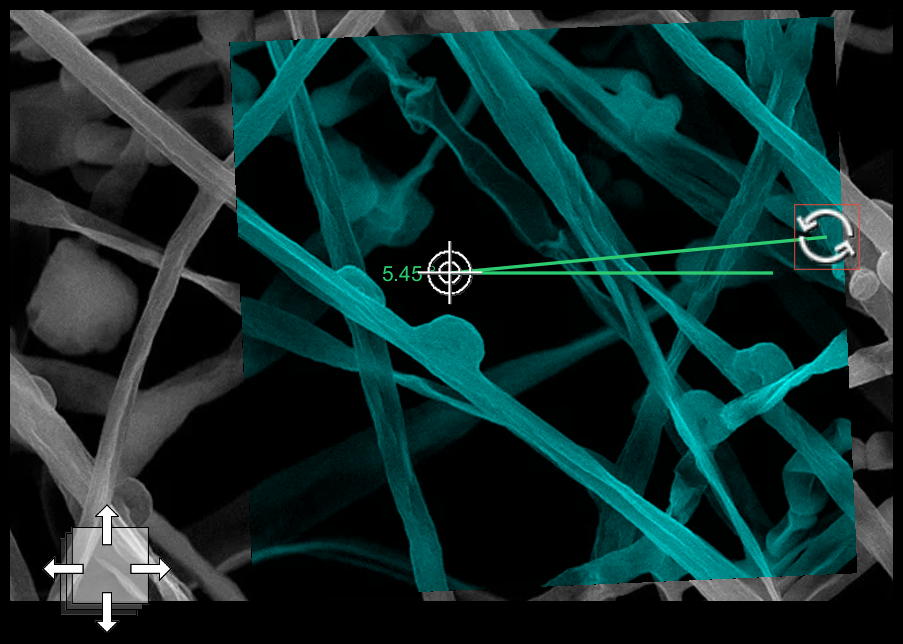
See Applying Rigid Registrations for information about the automatic registration options available in Dragonfly.
How to Register Images Manually
- Open the required datasets.
- Do the following, as required:
- Align the centroid of the datasets you plan to register, recommended (see Align).
- Apply an automatic registration, optional (see Applying Rigid Registrations).
- Select the dataset to which you plan to apply the manual adjustments to in the Data Properties and Settings panel.
- Click the Displace
 tool in the Translate/Rotate panel.
The Translate and Rotate tools appear in the selected view.
- Translate and/or rotate the selected dataset, as required (see Translating and Rotating Objects).
- Drag the Translate tool to move the selected dataset within the view.
- Use the Rotate tool to rotate the selected dataset from the pivot position. If required, you can move the pivot point.
- Exit Displace mode when your adjustments are complete.
- Export the modified dataset if you want to save your manual adjustments (see Exporting and Saving Data).
